To delete one column:
Use DROP COLUMN:
ALTER TABLE table_name DROP COLUMN col_name;
Or you can do that with DROP only:
ALTER TABLE table_name DROP col_name;
To delete multiple columns:
ALTER TABLE table_name
DROP COLUMN col_name1,
DROP COLUMN col_name2,
DROP COLUMN col_name3;
Or
ALTER TABLE table_name
DROP col_name1,
DROP col_name2,
DROP col_name3;
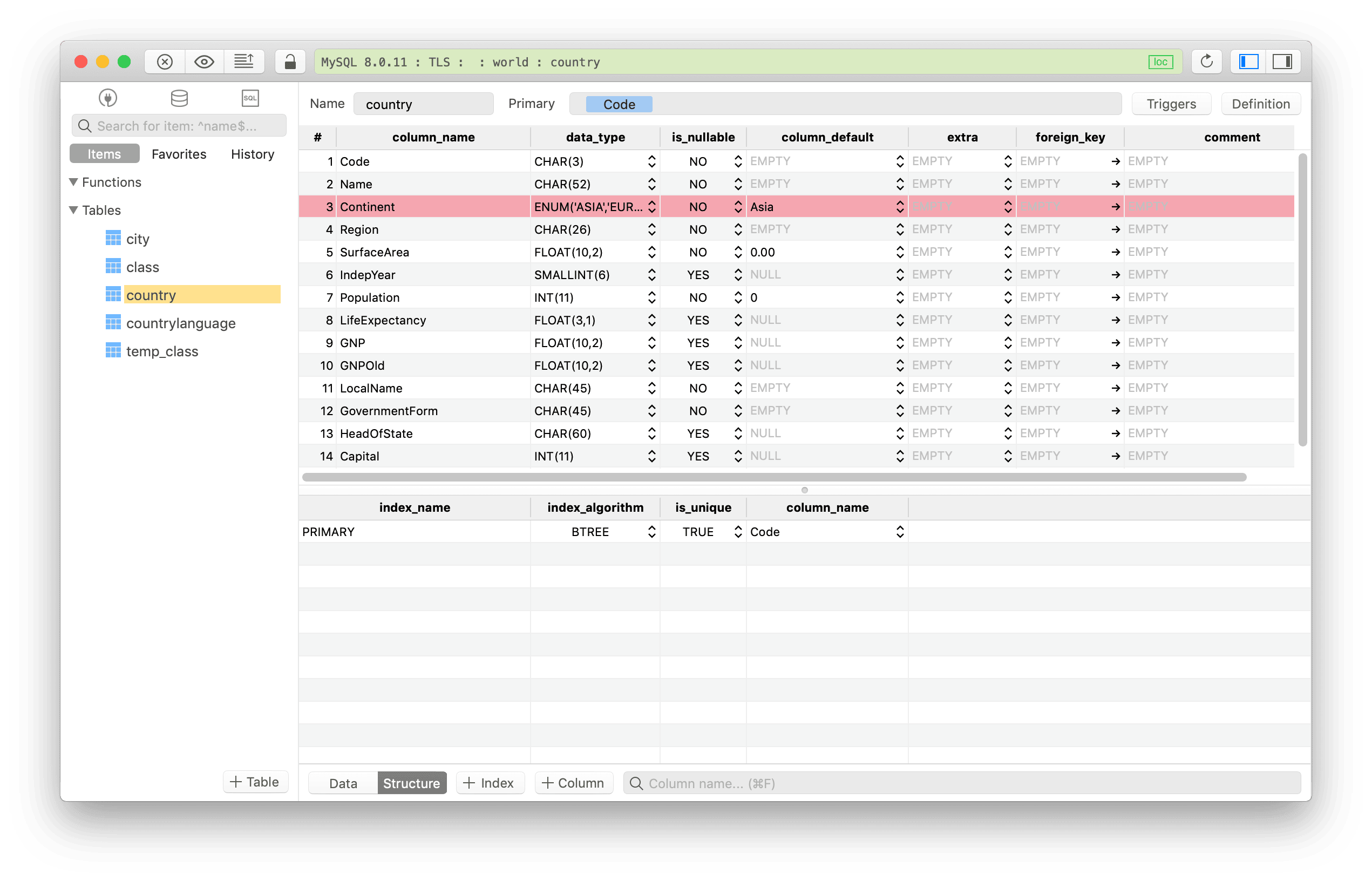
Using TablePlus GUI Tool:
- From the table view, switch to the table structure at the bottom
- Select the column(s) you want to delete and hit Delete
- Remember to hit Cmd + S to commit changes to the server
*Need a good GUI Tool for MySQL? TablePlus is a modern, native tool with an elegant UI that allows you to simultaneously manage multiple databases such as MySQL, PostgreSQL, SQLite, Microsoft SQL Server and more. *