 Huy Pham
Ten years ago, in 2016, I started building TablePlus, on the sofa in a friend's apartment. I slept on that sofa too. I wanted a database tool I would enjoy using every day: native, quick to open, light on memory, beautiful, and simple to use. Ten years later, I still want the same thing, not only in how fast the app runs, but down to the smallest details.
Thank you for being with me, and for your continued support. Many of you have used TablePlus since day one, and you're still here today. I really appreciate it. Without your support, I wouldn't have made it this far.
2026 was the busiest year in a long time. I shipped tons of updates that make TablePlus better than ever. It's the best version I've ever shipped. A lot of what you'll read below started as your bug reports and feature requests. Here is what changed, starting with what I think matters most.
1. Sync Database and Schedule Tasks
The most annoying part of working with databases is moving data around: migrating to a new server, or pulling production down to your Mac. The usual way is pg_dump and pg_restore in a terminal. It works, but it's tedious and slow, and you need the right version of both.
TablePlus had Backup and Restore for this. But they were two separate steps, with a manual gap in between: back up, find the file, open Restore, pick the file, pick the target.
So I built Sync Database. It's more than Backup and Restore joined together. It's faster, and it gives you more control. Pick two connections, click Sync Now, and it's done. Small or big, your database syncs in a few seconds.
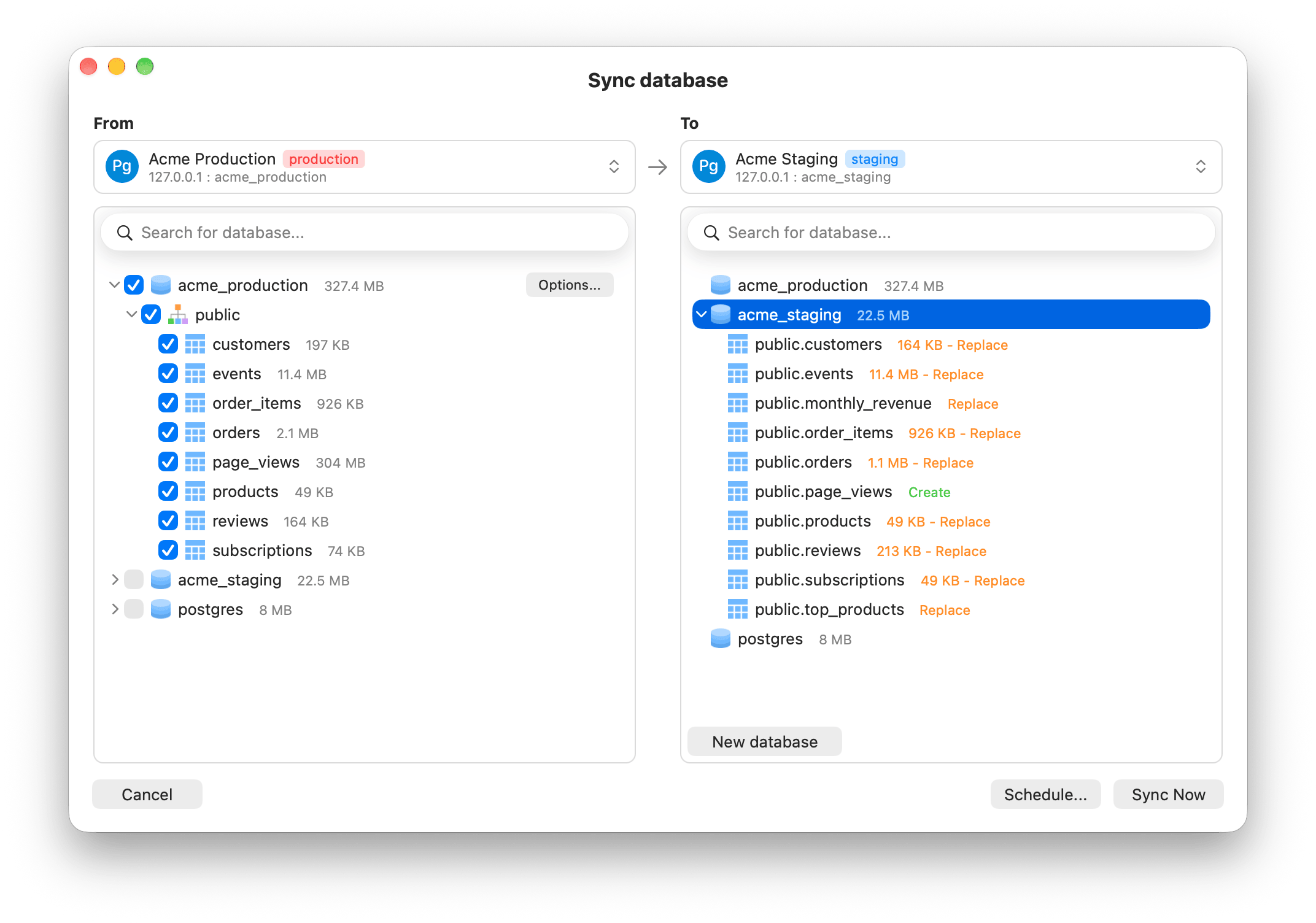
Schedule Tasks takes Sync Database to another level. Set it once, and it runs again and again: every hour, day, week or month.
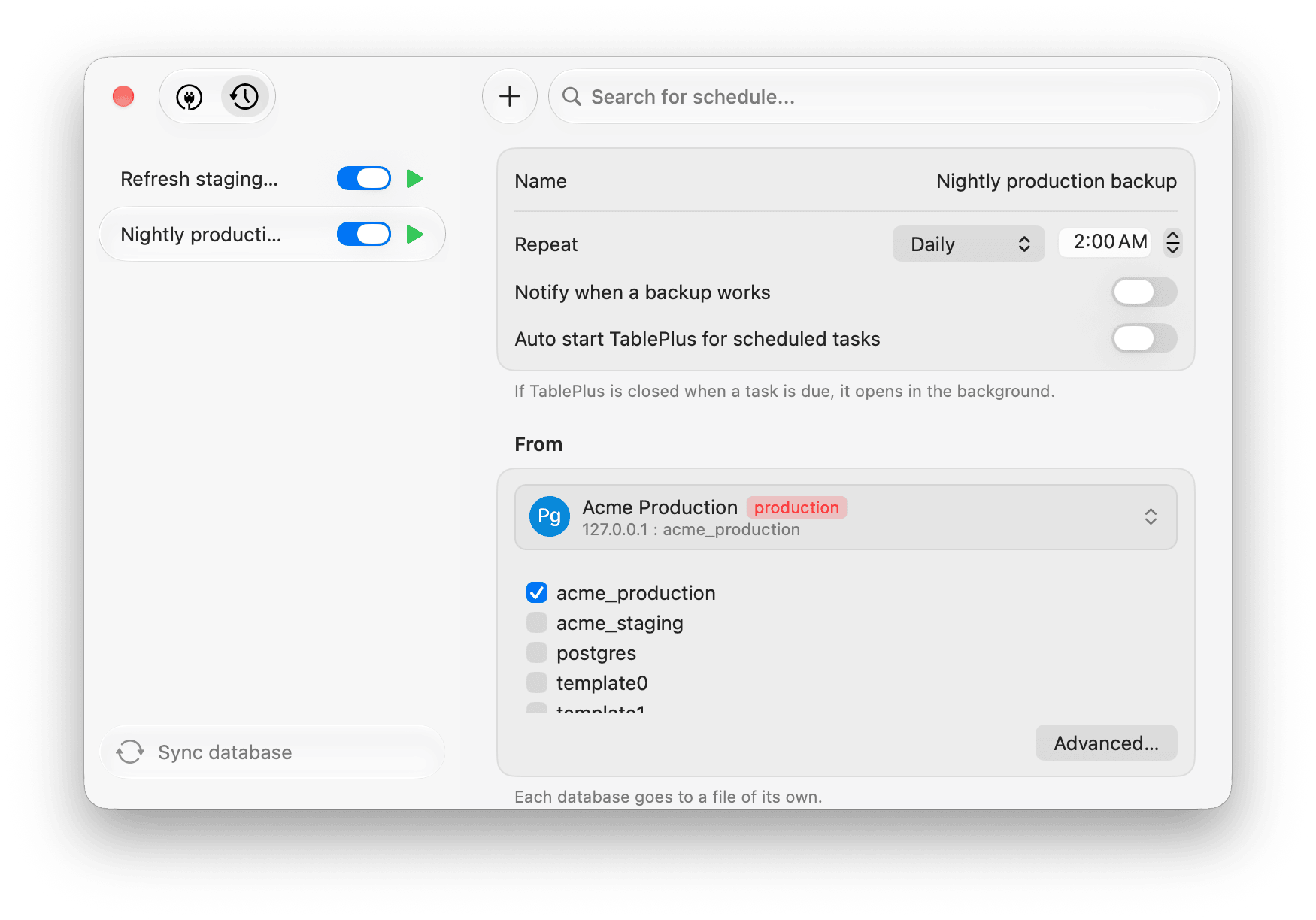
Docs: Sync Database and Schedule Tasks.
2. A new design: Liquid Glass
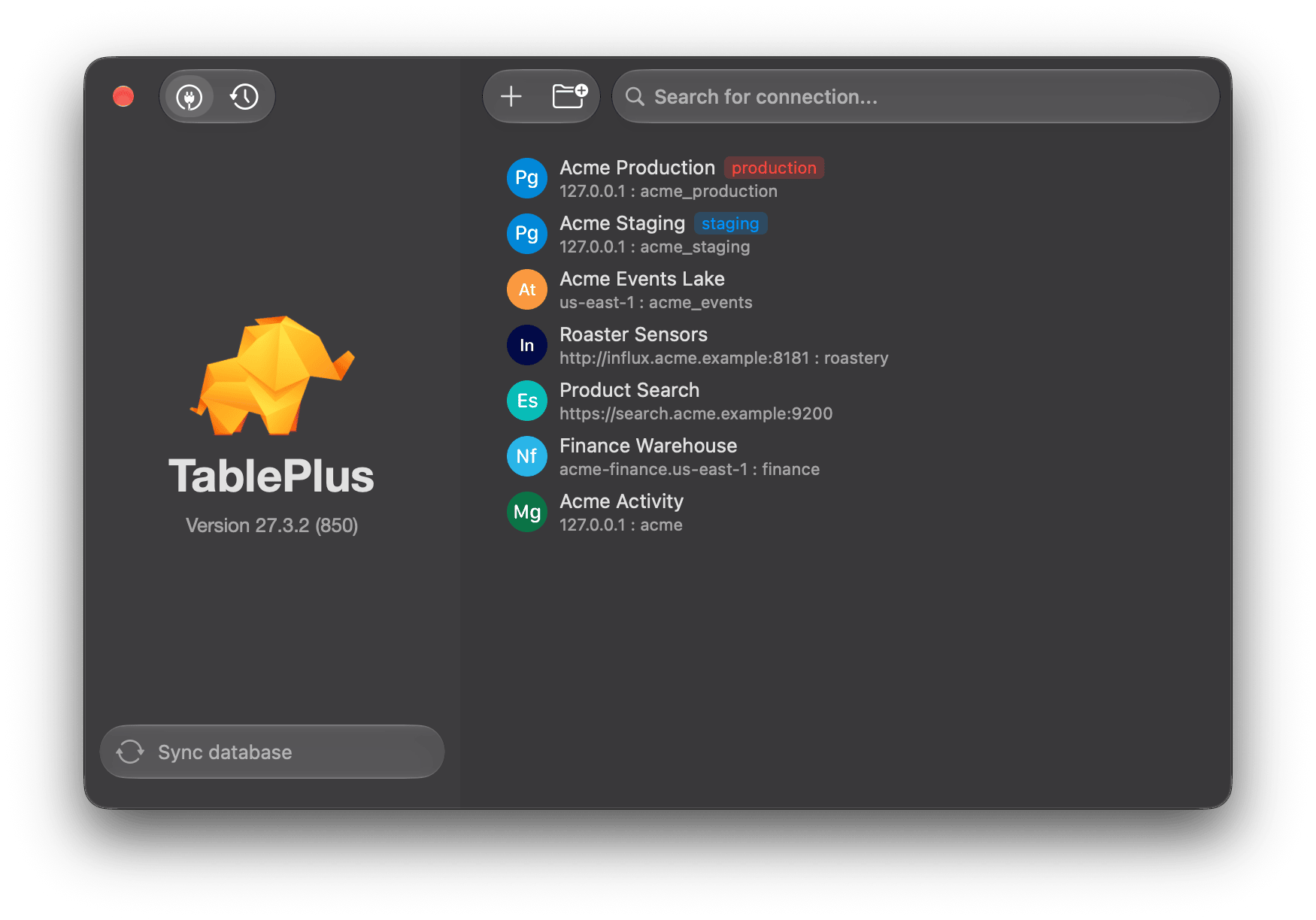
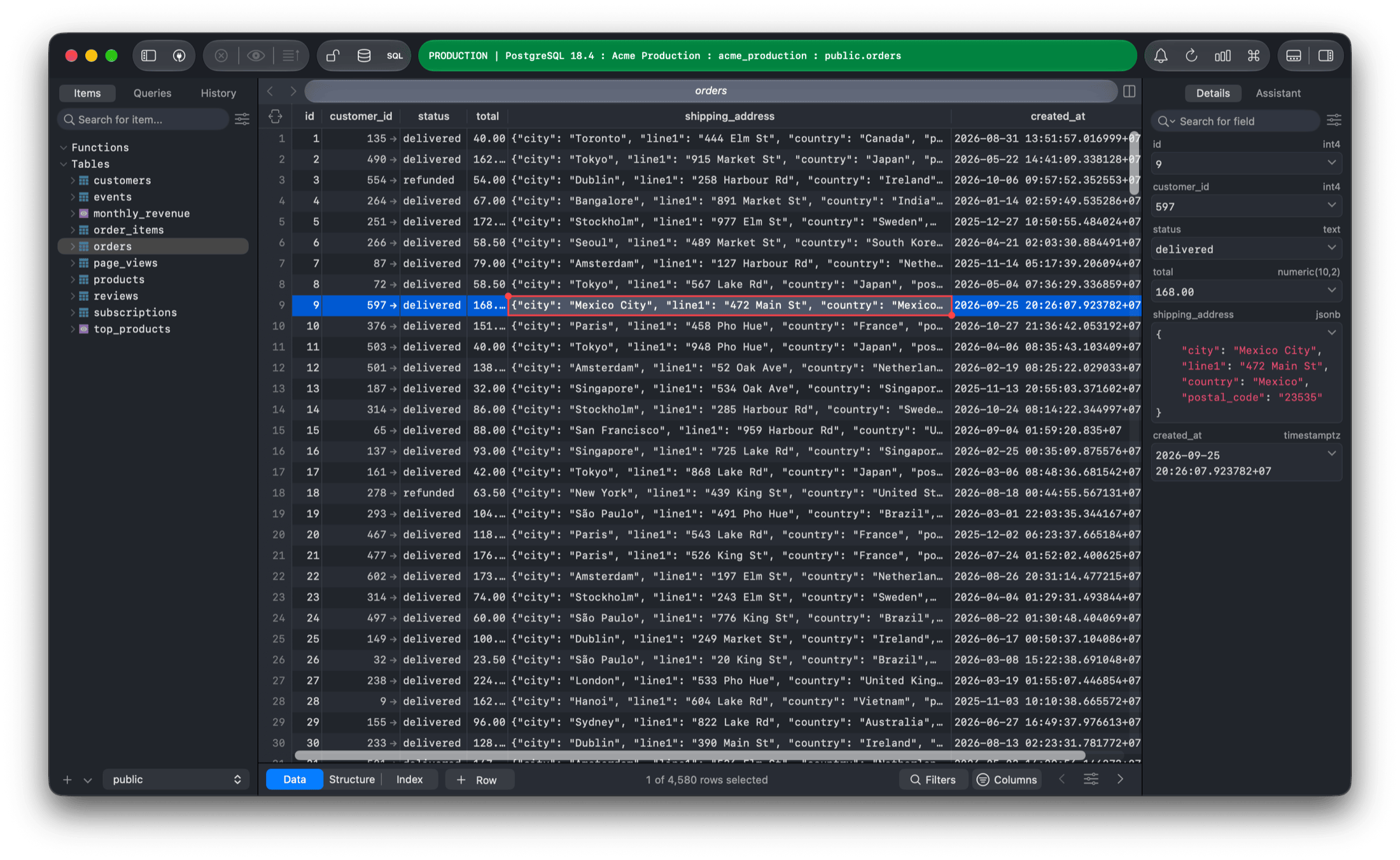
TablePlus is a native app, and it always will be. Every part of it follows Apple's Human Interface Guidelines and works the way a Mac app should. This year that meant a new design built on Liquid Glass. I polished every detail, so you feel at home the moment you open it.
3. AI and MCP
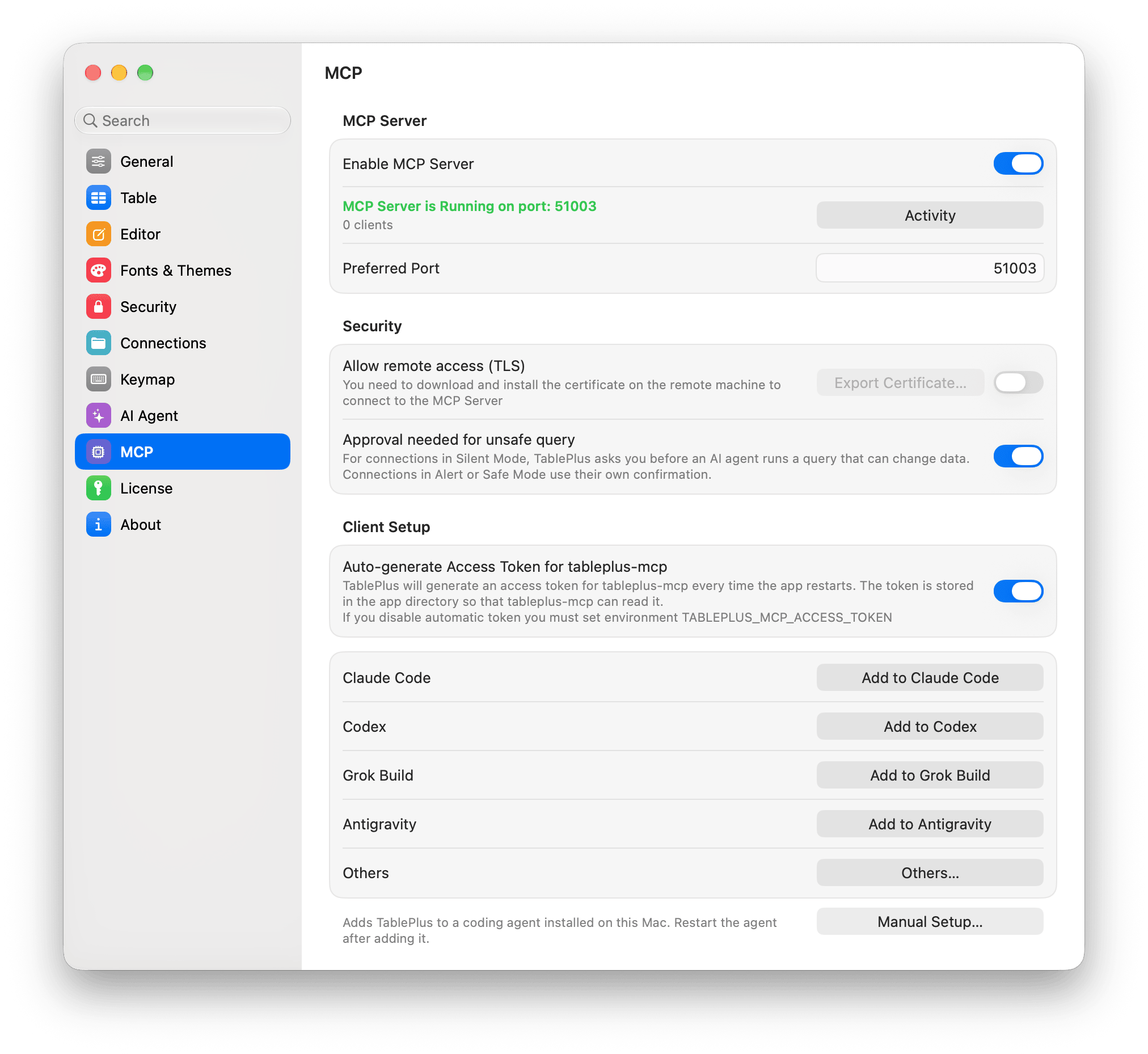
TablePlus now has a built-in MCP server. Claude Code, Codex, Cursor, VS Code and other AI tools can list your connections, read your tables and run queries through TablePlus.
The assistant in the right sidebar was reworked too. It works with OpenAI, Anthropic, Google AI, OpenRouter, DeepSeek, GitHub Copilot, Codex CLI, Claude CLI, Ollama, any OpenAI-compatible server, and any agent that supports the Agent Client Protocol (ACP).
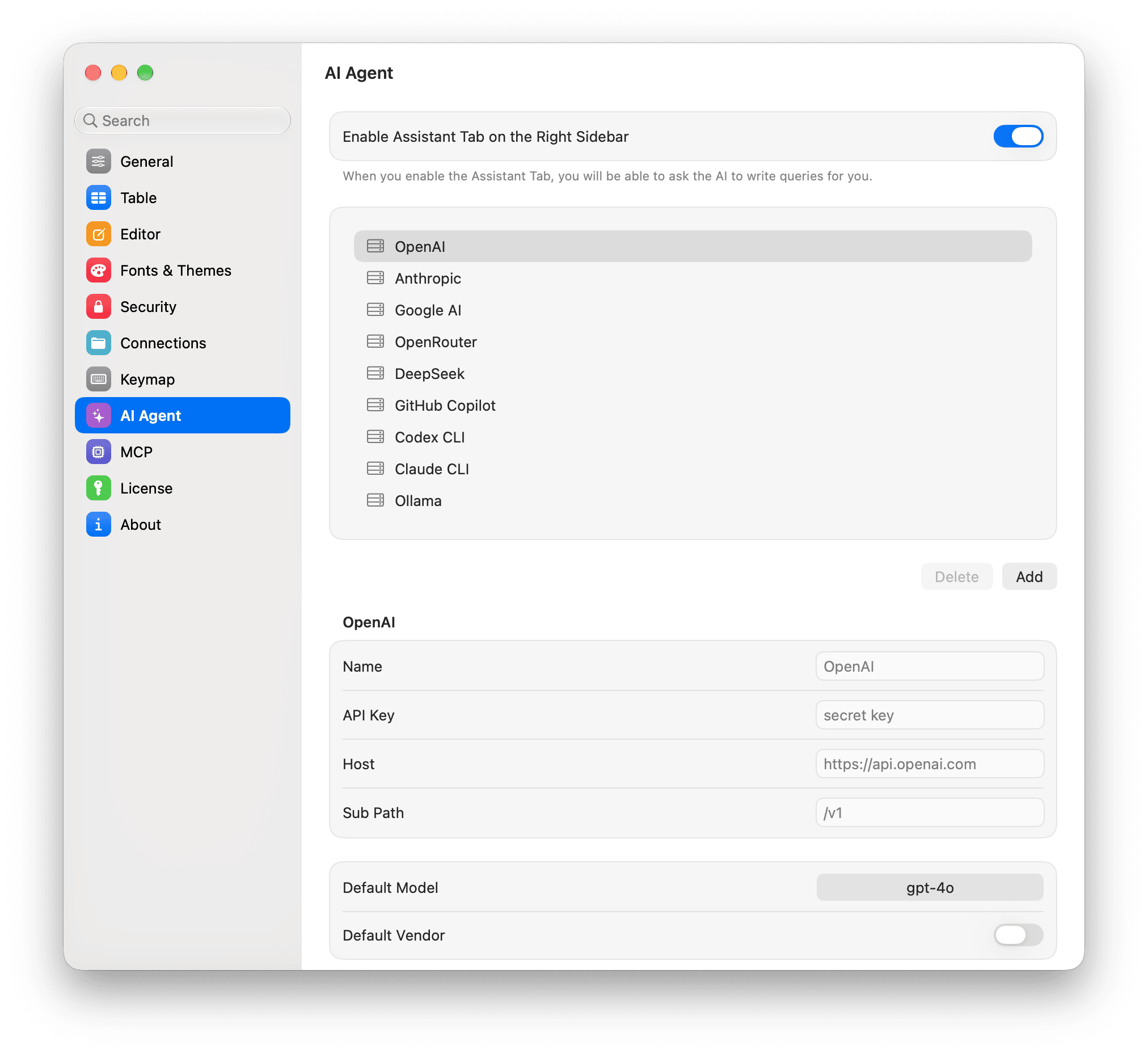
Nothing goes through TablePlus servers. Your Mac talks to the provider you chose. If your data must stay on your machine, use a local model with Ollama.
Docs: MCP Server and LLM Plugin.
4. New drivers
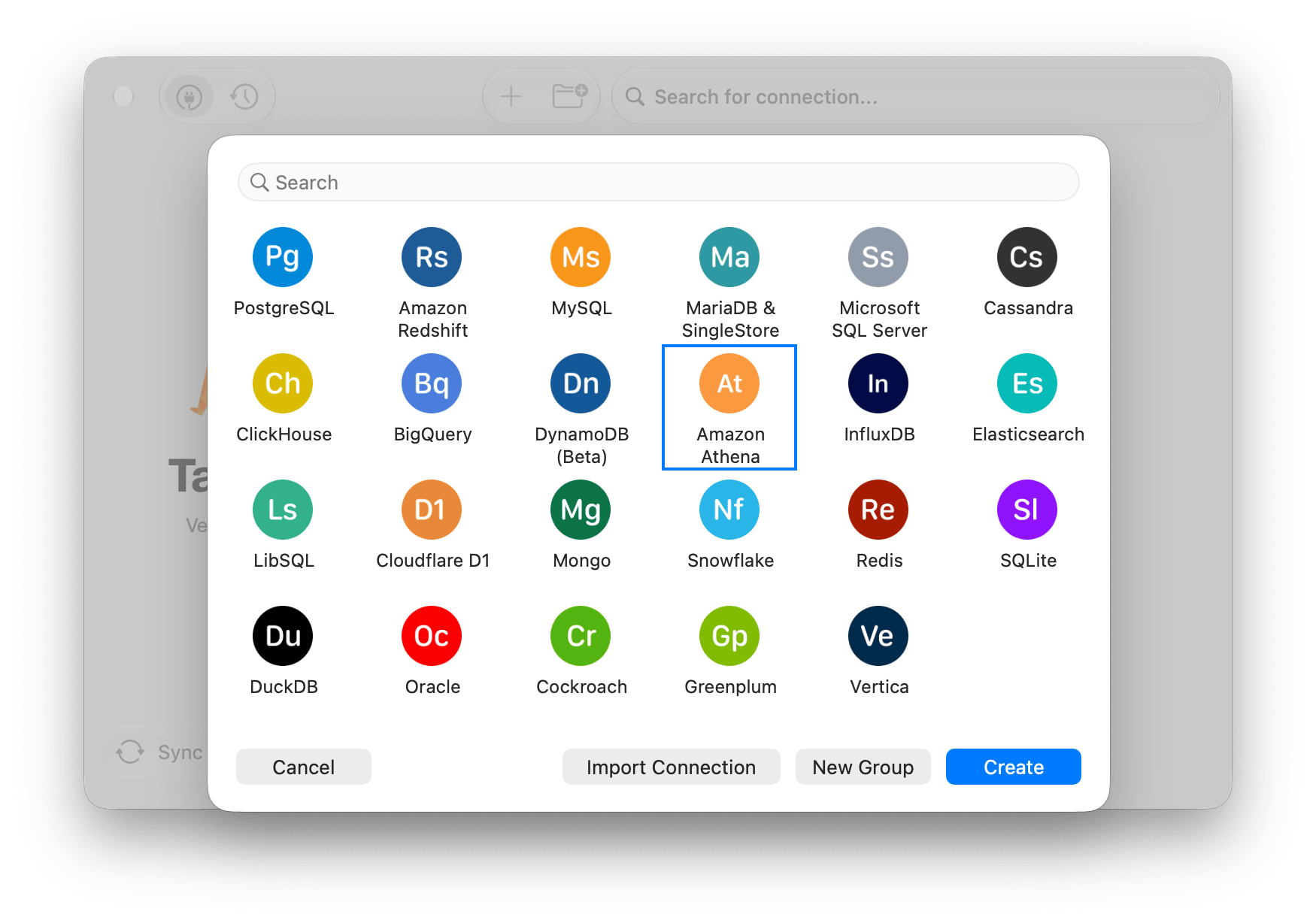
TablePlus now supports 23 databases in one app. The drivers it already had got tons of improvements too, from new ways to sign in to support for the latest database versions.
5. Hundreds of small things
Not every change gets a headline. Here are some you'll notice.
Code folding. Fold a statement, or an indented subquery. TablePlus remembers the folds of saved queries.
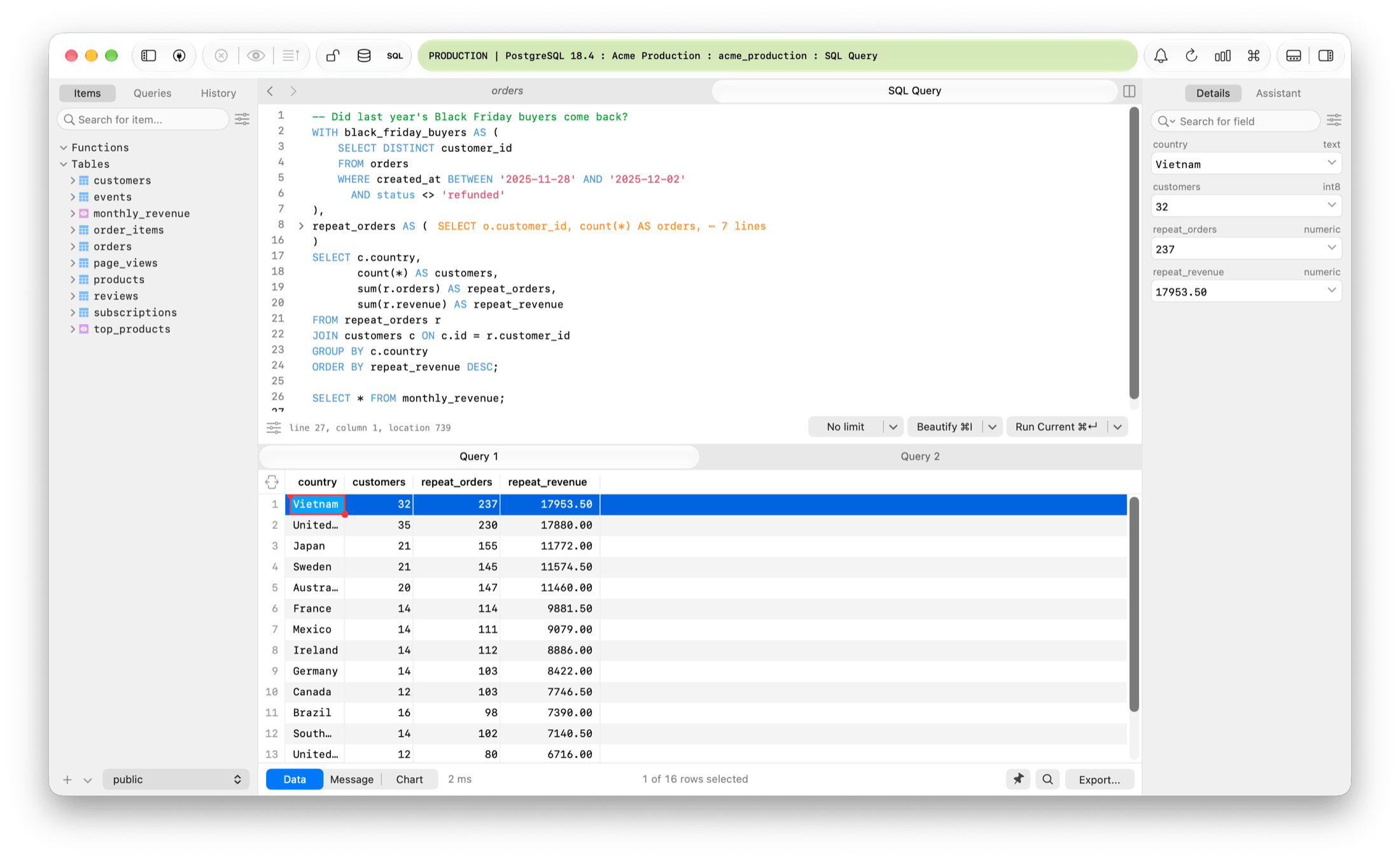
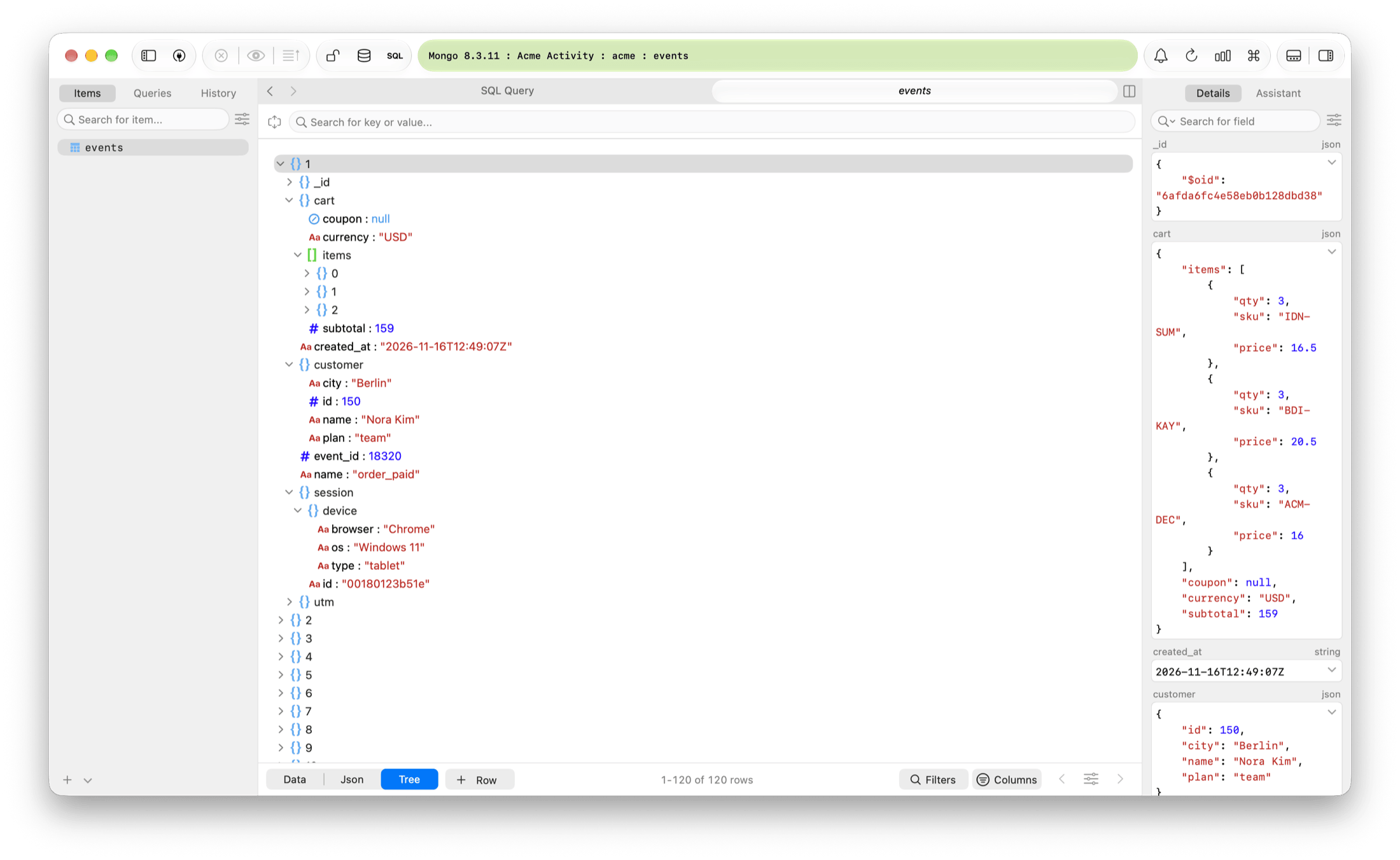
JSON and Tree views for MongoDB, Elasticsearch, DynamoDB and Redis. See each document as JSON or as a tree, edit it, and search keys and values.
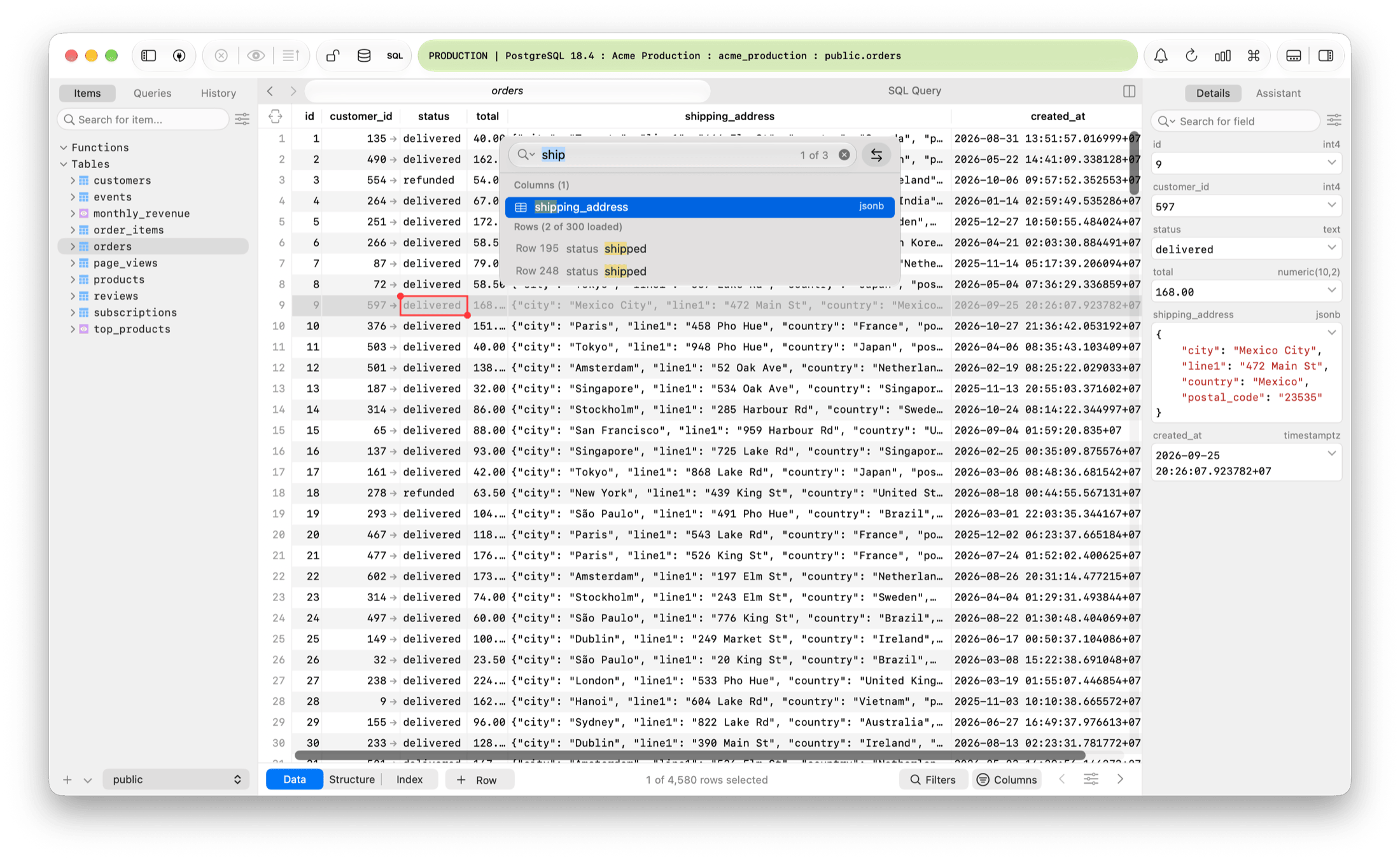
Jump to column with ⌘ + L. Type a few letters. It finds the column, and matching values in the loaded rows.
Notification Center. Send a long export or import to the background and keep working. Follow it, or stop it, from the bell in the toolbar.
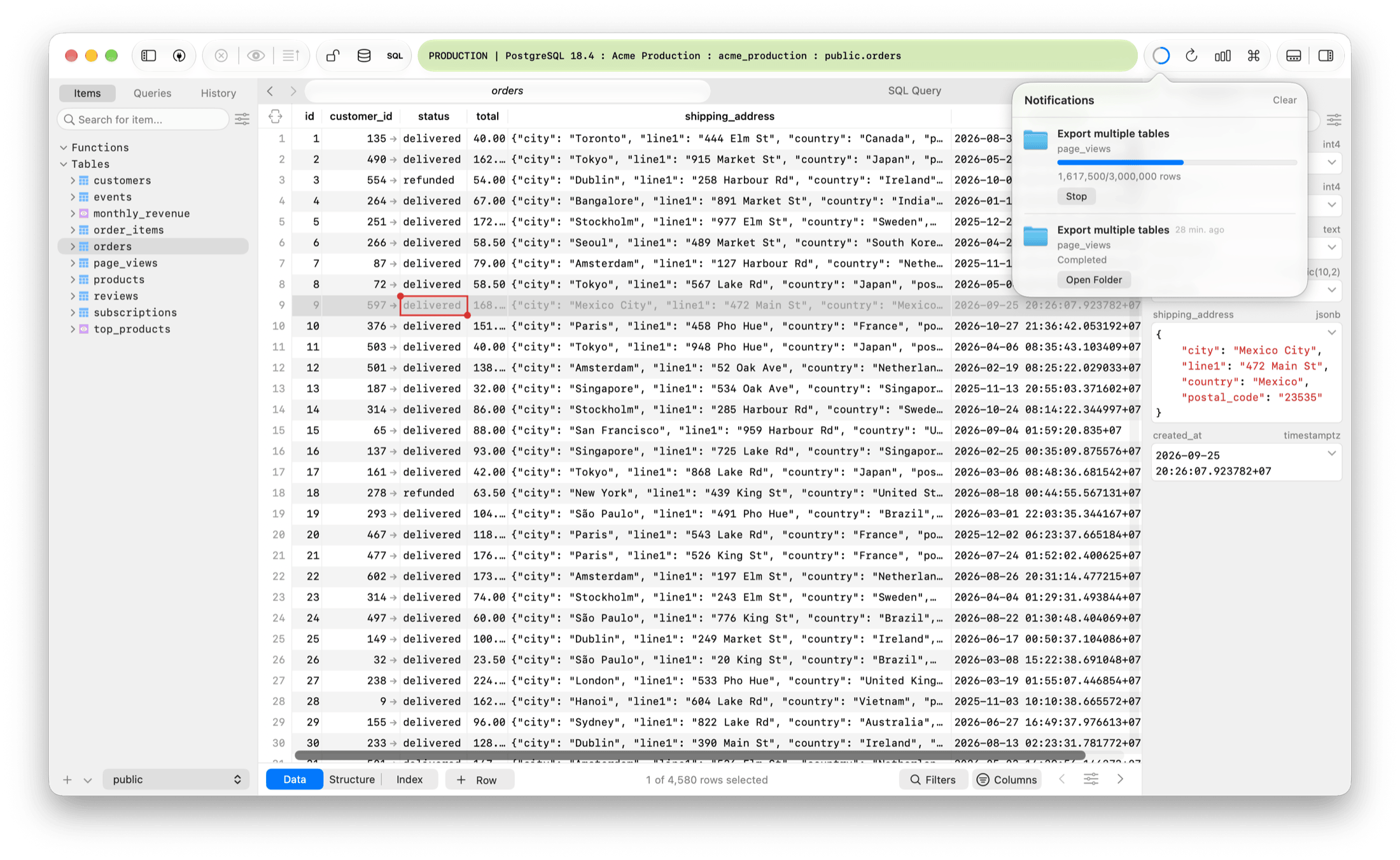
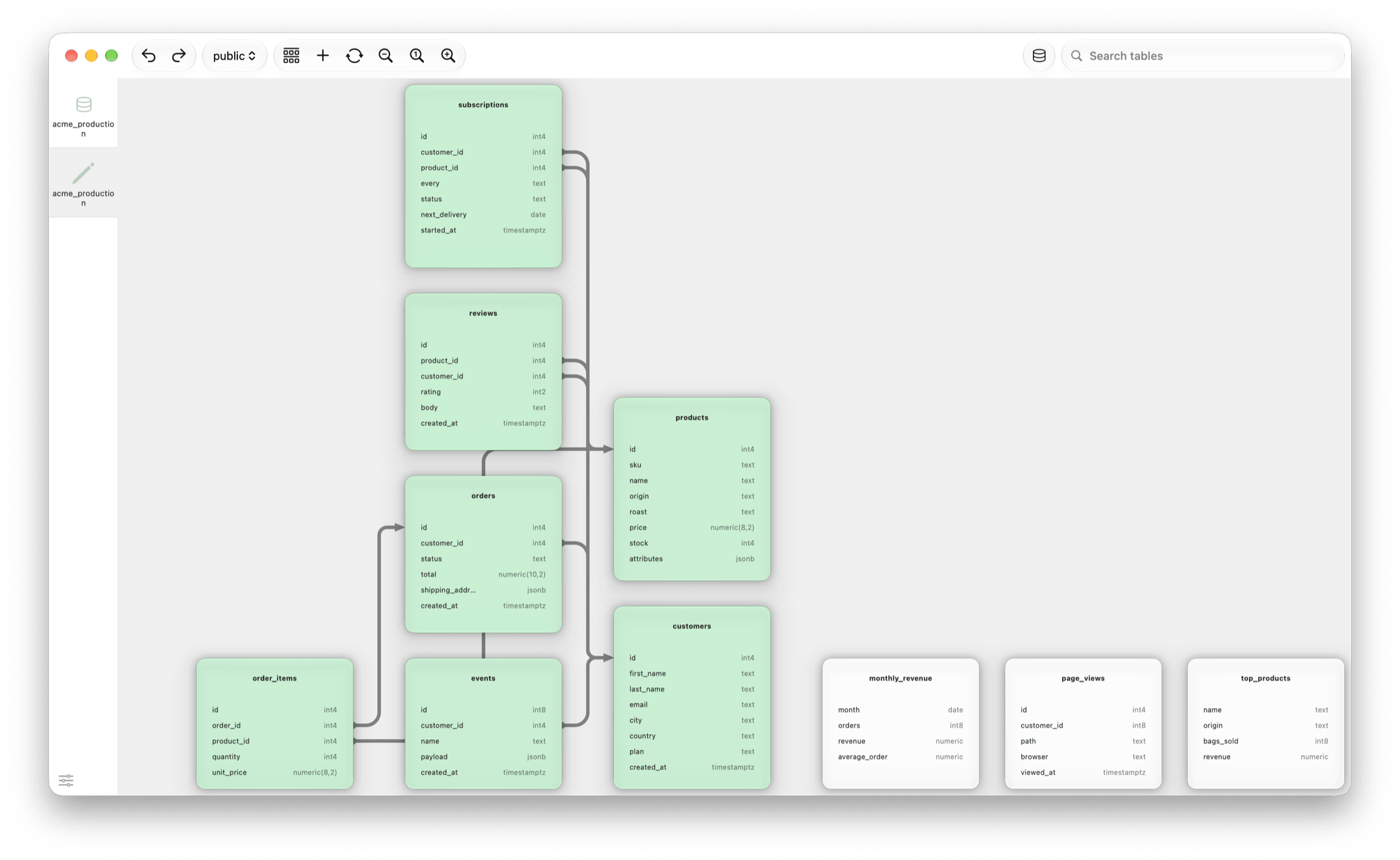
Diagram. See your tables and how they connect, drawn natively.
And there's a lot more. This year I added, adjusted or improved hundreds of details, from Excel export and JSON import to a faster history search and a better advanced filter. None of it made the app bloated: TablePlus is still quick to open and light on memory. And when you run a query, I can confidently say TablePlus is still the fastest app to return the data, even compared to the fastest Rust-based tools out there. The full list is in the changelog.
6. Windows and Linux caught up
For years, TablePlus for Windows and Linux were behind the Mac. Features came later, and some never came.
Not anymore. TablePlus for Windows and Linux now have the same features and the same design as TablePlus for macOS.
If you use TablePlus on more than one OS, it's one app now.
7. SOC 1 and SOC 2
Many of you use TablePlus at work, and your security team wants to know how TablePlus handles things. So I'm working on SOC 1 and SOC 2.
I've finished my part of the audit, and I'm waiting for the auditor's sign-off. I expect SOC 1 next month, before the end of this year. SOC 2 needs a period of continuous monitoring, so I expect it early next year. I'll post here when it's done.
Ten years is a long way. TablePlus is still a native app. Thank you for using it, for telling me what's broken, and for the feature requests that became features.
The future of TablePlus is bright. There's a lot more I want to build, and I can't wait to share it with you.
And a new journey has started: VMPal. It runs macOS, Windows and Linux virtual machines on your Mac, and gives your AI agent a machine of its own. I'm building it the same way I build TablePlus: native, light, and polished down to the smallest details. Every screenshot in this post was taken in a macOS 27 VM running in VMPal.
Download TablePlus: