Backup & Restore
TablePlus can back up a database to a dump file and restore a database from a dump file. TablePlus ships with its own dump and restore tools for each supported server version, so you don't need to install them.
Backup and restore are available for PostgreSQL, MySQL and MariaDB, and for PostgreSQL-compatible drivers such as Amazon Redshift, CockroachDB, Greenplum and Vertica. They are not available for SQLite: to back up an SQLite database, copy its file, or export it as SQL.
Back up a database
- Open the Backup window:
- From the welcome screen, click Backup Database.
- From a workspace, navigate to File > Backup...
- Or open Open Anything (
⌘ + P) and choose Backup Database.
- Select the connection on the left, then the database to back up.
- Choose the version of the dump tool (for example PostgreSQL 17.0 or MySQL 8.0). Pick the one that matches your server.
- Add options for the dump tool if you need them: pick an option from the Add option... menu, or type it into the options field.
- Optionally, change the file name (click Customize to build it from patterns) and turn on Compress file using Gzip.
- Click Start backup..., choose the destination folder and confirm.
TablePlus shows the output of the dump tool while it runs. You can cancel the backup from this window.
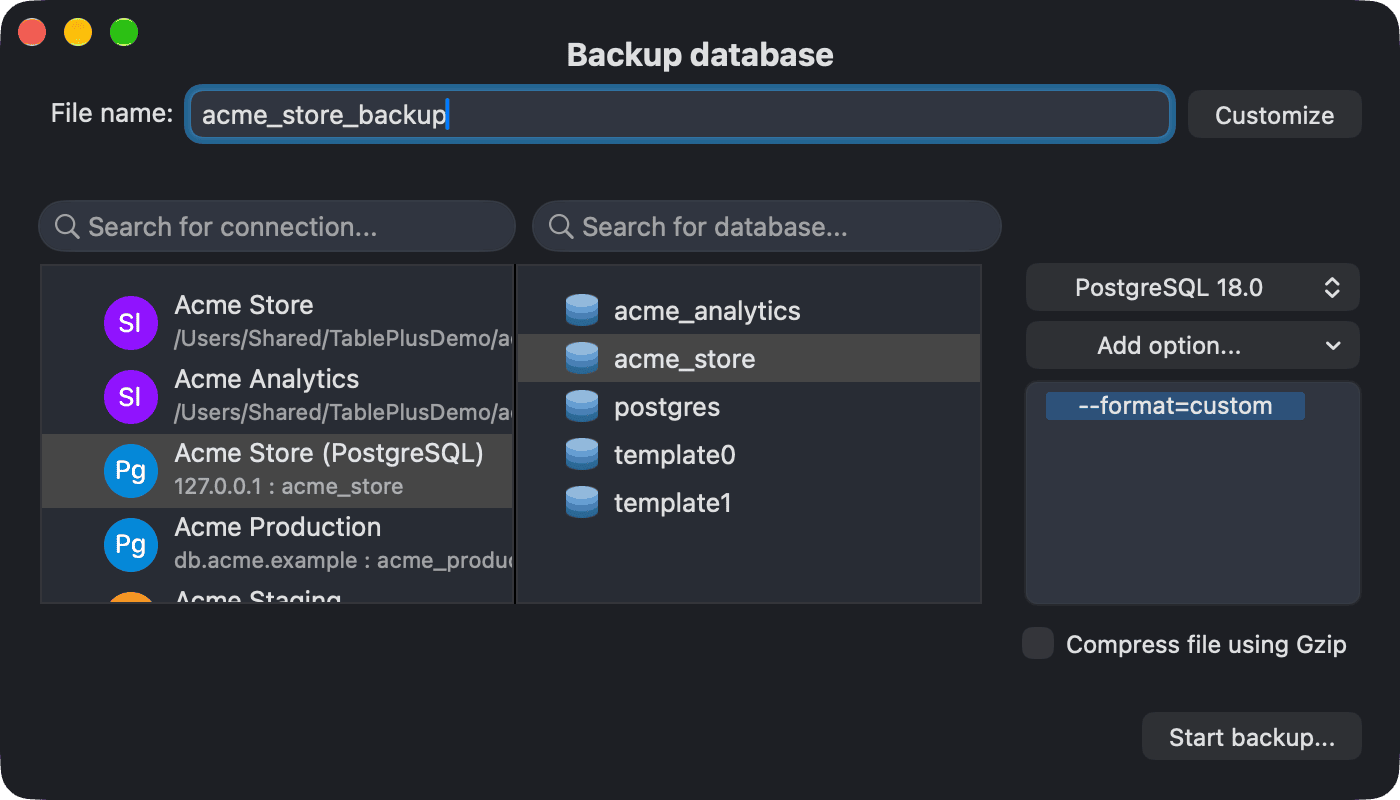
For PostgreSQL, the default option is --format=custom, which creates a compressed archive that pg_restore can read. Use it instead of Compress file using Gzip. Other common options are --data-only, --schema-only, --clean, --create and --no-owner.
TablePlus remembers the version and the options you used for each connection.
Restore a database
- Open the Restore window:
- From the welcome screen, click Restore Database.
- From a workspace, navigate to File > Restore...
- Or open Open Anything (
⌘ + P) and choose Restore Database.
- Select the connection, then the database to restore into. To restore into a new database, click New database and create it first.
- Choose the version of the restore tool and add options if you need them. For PostgreSQL, the default option is
--single-transaction; others include--clean,--create,--exit-on-error,--no-owner,--data-onlyand--schema-only. - Click Start restore..., select the backup file and confirm.
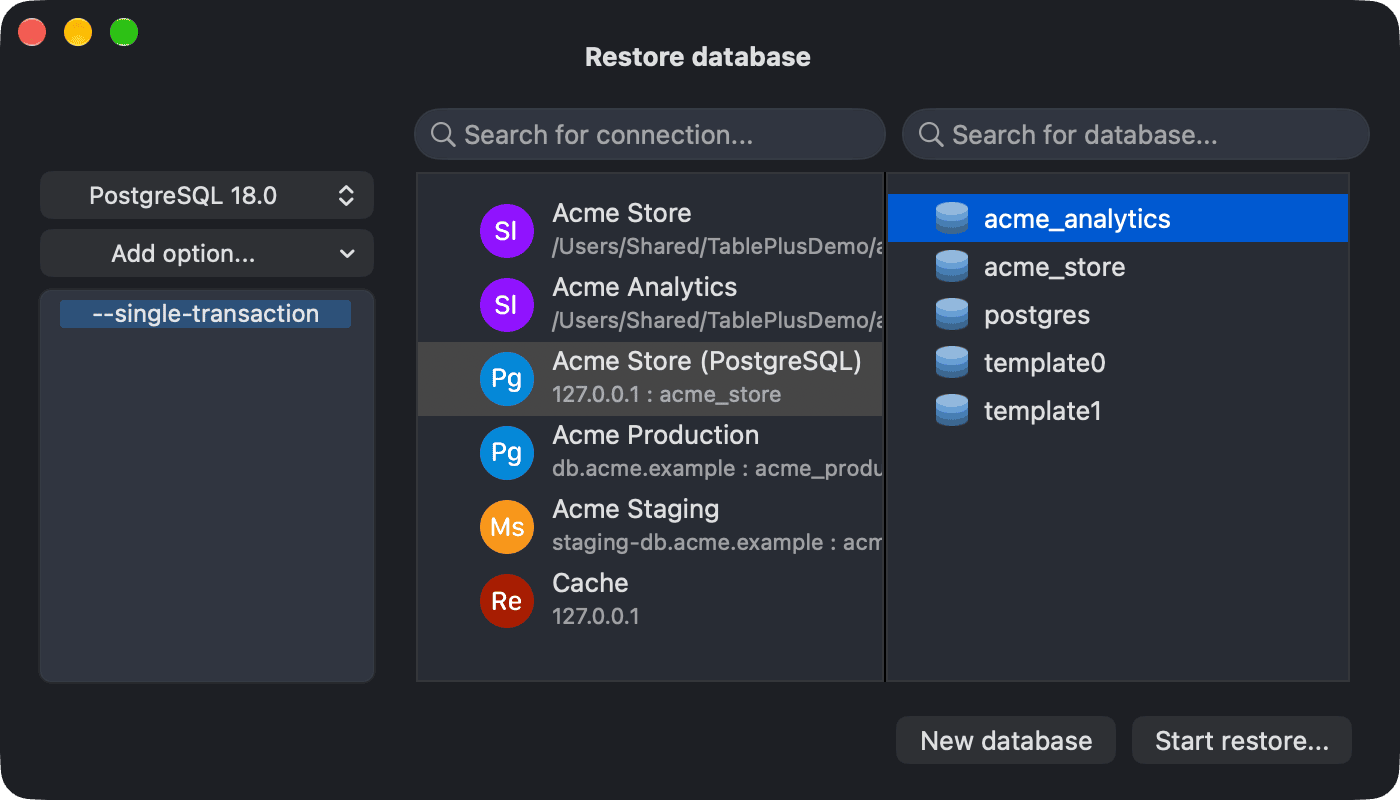
For PostgreSQL, Restore uses
pg_restore, which reads archives made with--format=custom(or the other non-plain formats). To run a plain.sqldump, use File > Import > From SQL Dump... instead.
If the connection uses Safe Mode, TablePlus asks you to confirm (or enter your password) before it starts a backup or a restore.
If you switch to another app while a backup or a restore is running, TablePlus sends a notification when it finishes.