General
The Settings window holds the settings that control how TablePlus behaves and looks.
To open it:
- Go to TablePlus > Settings… (Preferences… on macOS 12)
- Or press
⌘ + ,1
The window opens on the General tab. Choose a pane in the sidebar on the left. To find a setting, type in the Search field above the list, or press ⌘ + F.
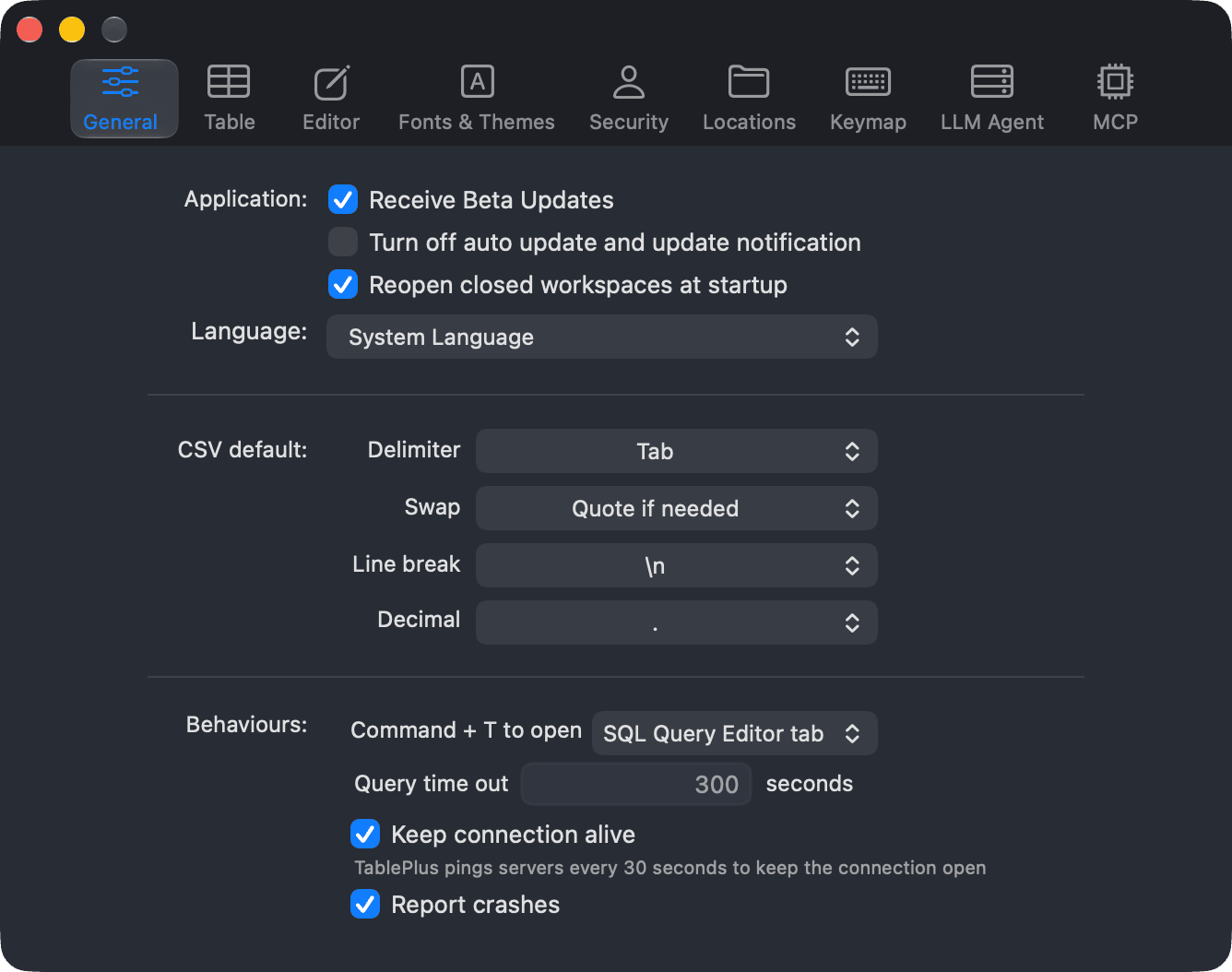
Preference tabs
| Tab | What it contains | Page |
|---|---|---|
| General | Startup, language, new tab behaviour, crash reports, query time out, keep-alive, CSV defaults | Application, CSV File, Connections |
| Table | How table data is rendered and counted | Table Data |
| Editor | SQL Editor behaviour, indentation, key binding, query parameters | SQL Editor |
| Fonts & Themes | Themes, fonts, sizes and colors | Fonts & Colors |
| Security | Safe Mode defaults and passcode lock | Crash & Security |
| Connections | Connection sources, and where TablePlus stores queries, history and other data | See Connections below |
| Keymap | Customizable shortcut keys | Keymap |
| AI Agent | AI vendors and the Assistant tab | LLM Plugin |
| MCP | The built-in MCP server for AI clients | MCP Server |
| License | Your license key, activation, seats and renewal | Licensing |
| About | Version, beta and automatic updates, and links | Application |
General tab
The General tab is split into a few groups:
- Application: reopening workspaces, app language, what
⌘ + Topens, and crash reports. Beta and auto updates are on the About pane. - CSV File: the default delimiter, quoting, line break and decimal symbol for CSV files.
- Connections: the query time out and keep-alive pings.
The settings of the Table and Editor tabs are described on Table Data and SQL Editor.
Connections tab
The Connections tab lists your connection sources, and where TablePlus stores your queries, history and other data.
Connection sources
Your connections and connection groups are listed under Connection Sources. Local holds this Mac's connections and always uses the default folder. To share connections with your team, click Add and choose a shared folder, for example in Dropbox or Google Drive. Its connections show in a section of their own on the Welcome window. Passwords are never saved in a shared folder: each Mac keeps its own in the Keychain.
Select an added source to change its Name or Folder. Click Remove to remove it from TablePlus. Its folder and files stay where they are.
Queries, history and other data
TablePlus stores this data on your Mac. To sync it between devices, you can point these folders to a private cloud folder such as iCloud Drive, Dropbox, Google Drive or OneDrive.
| Option | What it stores |
|---|---|
| Queries/History | Saved queries and query history. |
| Others | Advanced filters, column positions and widths, and temporary files. |
Click the folder button next to a field to choose a folder, or type a path and press Return. Leave a field empty to use the default location. Click Restore Defaults to reset both paths.
MCP
The MCP tab turns on the built-in MCP server so AI clients can work with your TablePlus connections. See MCP Server.
-
On Windows and Linux, use
Ctrl + ,. ↩︎