Process List
The process list shows the queries that are running on the database server right now, so you can find a slow or stuck query and stop it.
It's available for PostgreSQL (including Greenplum and Redshift), MySQL, MariaDB, and Microsoft SQL Server. For other drivers, such as SQLite, TablePlus shows a message that the process list isn't supported.
Open the process list
With a connection open, use one of these:
- Navigate to Tools > Process List.
- Press
⌘ + .1 - Press
⌘ + Pto open Open Anything and choose Cancel Running Queries. - While a query runs in the SQL Editor, click the run button, which reads Cancel ⌘. until the query ends. For these drivers, it opens the process list so you can stop the query on the server.
The process list opens as a sheet over the workspace. It uses its own connection to the server, so it works even while the workspace is busy running a query.
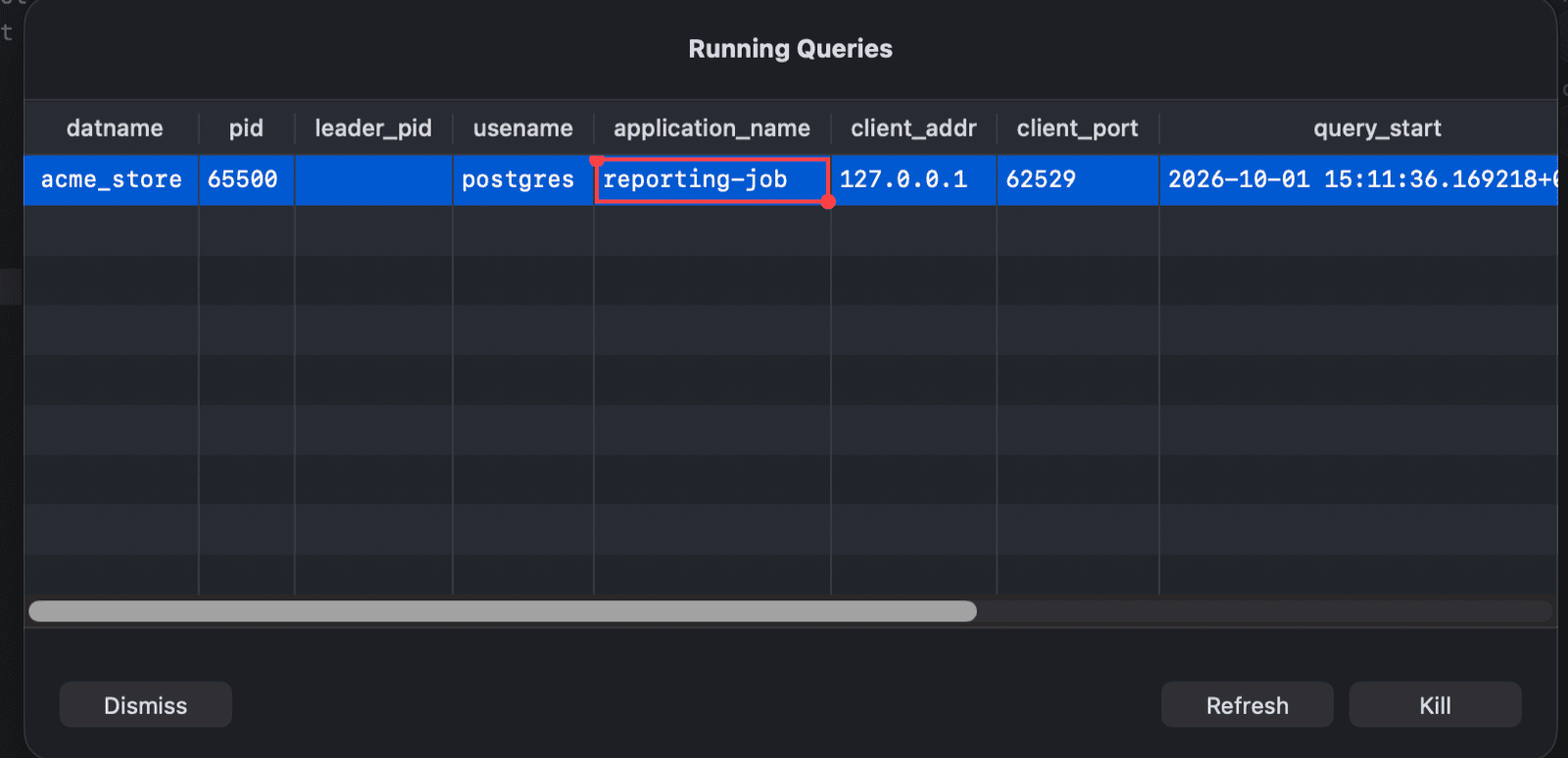
Read the list
Each row is a running query. The columns come from the server:
- PostgreSQL: the active (not idle) sessions from
pg_stat_activity, such aspid,datname,usename,application_name,client_addr,query_start,state, andquery, newest first. - MySQL and MariaDB: the queries from
information_schema.processlistfor one database. The list on the left shows the databases on the server. Select one to see its queries, and use the search field above it to find a database. - SQL Server: the running requests with their session ID, status, CPU time, elapsed time, and query text.
Click a column header to sort by it. Click Refresh to reload the list.
Right-click the list to copy the selected rows or cells (as CSV, JSON, HTML, Markdown, or plain text), open them in Quick Look, or export the current page.
Stop a query
- Select one or more queries. Hold
⌘orShiftto select several. - Click Kill.
TablePlus sends:
| Driver | Statement | Effect |
|---|---|---|
| PostgreSQL | SELECT pg_cancel_backend(pid); |
Cancels the query. The session stays connected. |
| MySQL, MariaDB | KILL QUERY id; |
Stops the query. The connection stays open. |
| SQL Server | KILL spid; |
Ends the session and rolls back its open transaction. |
If the connection has safe mode turned on, TablePlus shows the statement and asks you to confirm (or enter the database password) first.
Click Dismiss to close the process list.
-
On Windows and Linux, use
Ctrl + .. ↩︎