Security
Security settings are in Settings > Security (⌘ + ,).1 The crash report option is now on the General tab.
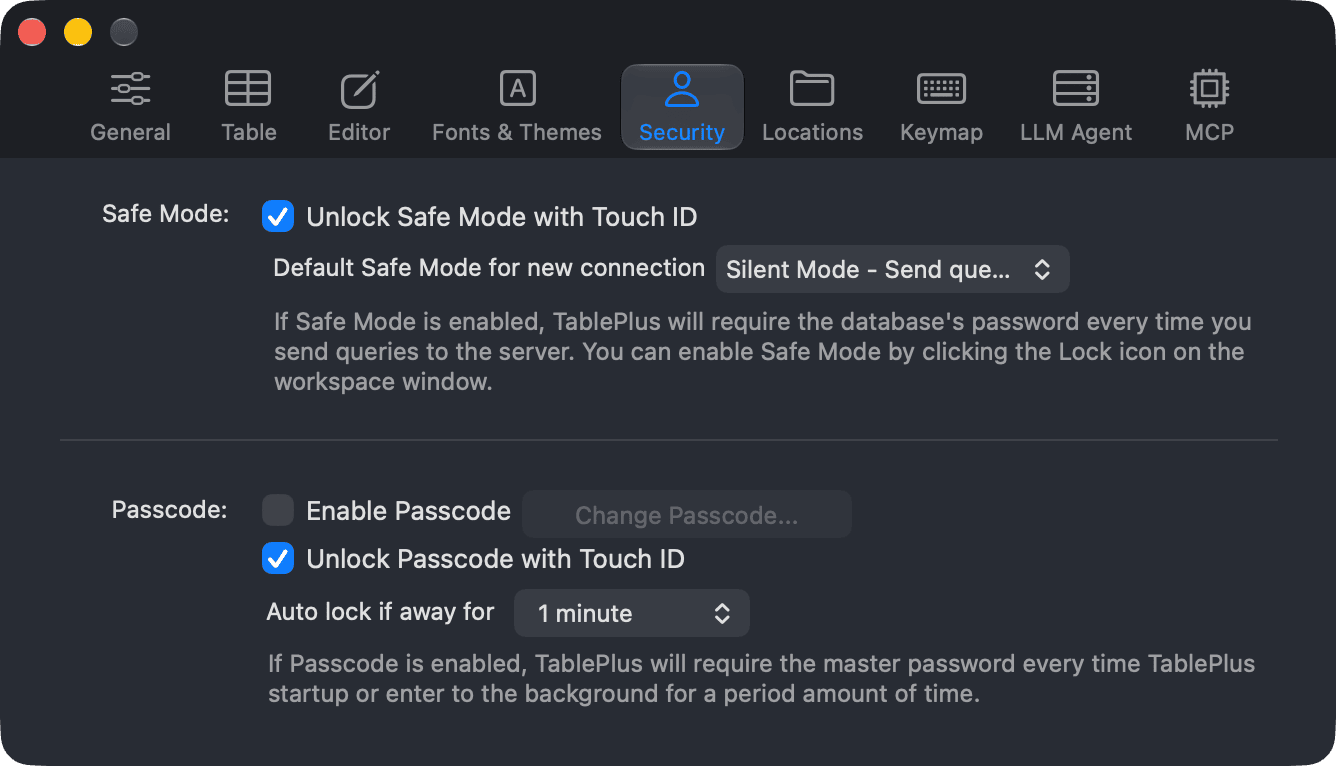
Safe Mode
Safe Mode protects a connection from accidental changes by warning you, or asking for the database password, before TablePlus sends queries to the server. You can change the Safe Mode of a connection with the lock icon in the workspace window. See Safe mode.
| Option | What it does |
|---|---|
| Unlock Safe Mode with Touch ID | Lets you use Touch ID (or your Mac's password) instead of the database password when Safe Mode asks for it. |
| Default Safe Mode for new connection | The Safe Mode that new connections start with. |
The choices for Default Safe Mode for new connection are:
- Silent Mode: send queries to the server without any warnings (default).
- Alert Mode 1: warn before sending queries to the server.
- Alert Mode 2: warn before sending queries to the server, except
SELECT,EXPLAINandSHOWqueries. - Safe Mode 1: prompt for the password before sending queries to the server.
- Safe Mode 2: prompt for the password before sending queries to the server, except
SELECT,EXPLAINandSHOWqueries.
Passcode
With a passcode, TablePlus asks for a master password when it starts, and again after it has been in the background for a while.
| Option | What it does |
|---|---|
| Enable Passcode | Turns the passcode lock on. TablePlus asks you to create a passcode. To turn it off, you need to enter the current passcode. |
| Change Passcode… | Changes the passcode. Enter the current passcode first. |
| Unlock Passcode with Touch ID | Lets you unlock with Touch ID instead of typing the passcode. |
| Auto lock if away for | How long TablePlus can stay in the background before it locks: 1 minute, 5 minutes, 1 hour or 5 hours. |
Crash reports
TablePlus collects crash reports to improve the stability of the app. Reports are anonymous and can't be used to identify you.
To turn crash reports off, go to Settings > General and turn off Report crashes. If your license owner has turned crash reports off, the switch is off and locked. The change takes effect the next time you start TablePlus. Turning it off requires a license; it stays on during the free trial.
-
On Windows and Linux, use
Ctrl + ,. ↩︎