Code Preview
For every change you make in the GUI and haven't committed yet, you can see the SQL statements that TablePlus generated. Queries you run in the SQL Editor are sent to the server directly, so they don't appear here.
To see the generated SQL, click the Preview button (the middle part of the Discard / Preview / Commit control in the toolbar), press ⌘ + Shift + P, or choose Edit > Preview.
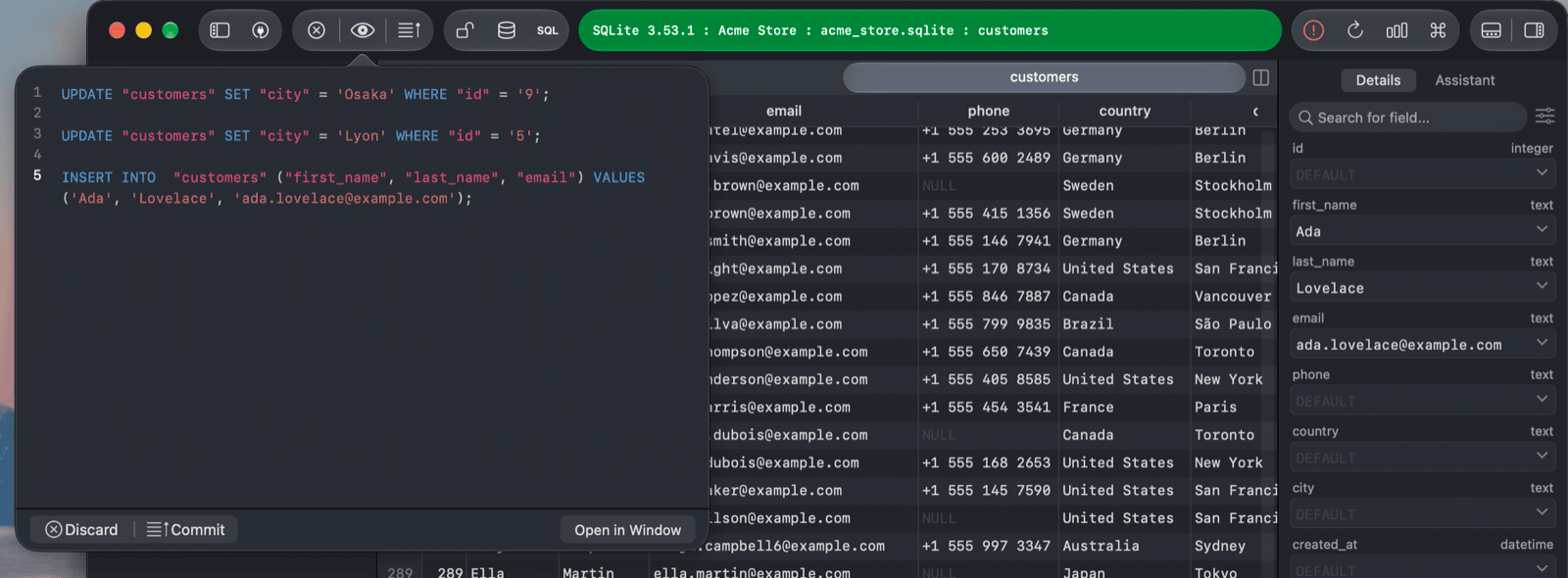
From the preview, you can:
- Click Commit to send the statements to the server.
- Click Discard to throw the changes away.
- Click Open in Window to keep the preview open in a separate window while you continue editing.