Table Data
These options are in Settings > Table (⌘ + ,), under Data Rendering.1
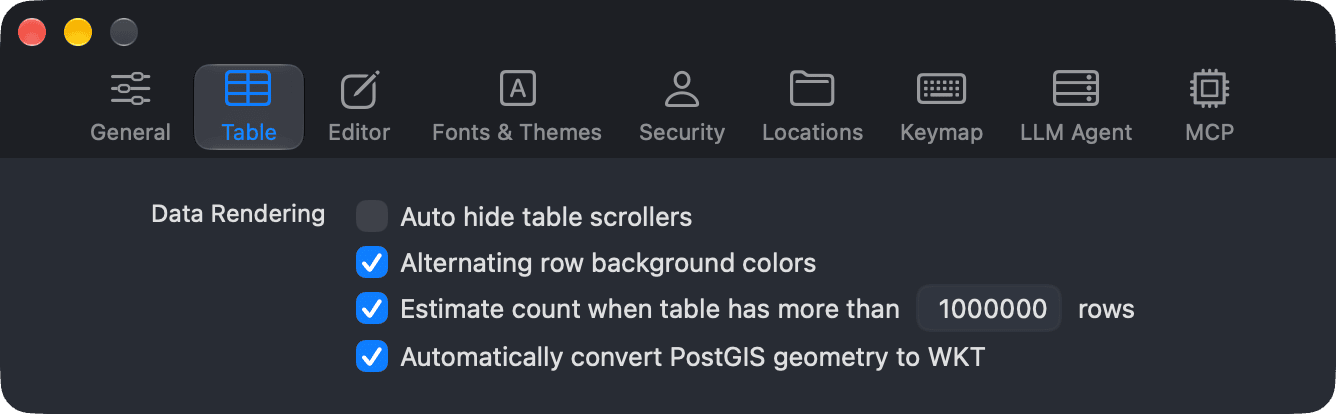
| Option | What it does |
|---|---|
| Auto hide table scrollers | Hides the scroll bars of data tables until you scroll, instead of showing them all the time. |
| Alternating row background colors | Draws every other row in a different background color so rows are easier to tell apart. On by default. |
| Estimate count when table has more than n rows | For large tables, shows an estimated row count instead of running an exact COUNT. Set the row threshold in the field next to the option. |
| Automatically convert PostGIS geometry to WKT | Shows PostGIS geometry values as readable WKT (Well-Known Text) instead of raw binary data. |
Estimate count
Counting every row of a very large table can be slow. With Estimate count on, TablePlus uses the estimated row count from the database for tables bigger than the threshold, so the table opens faster. We recommend keeping it on.
If you turn it off, TablePlus always counts rows exactly, and loading large tables can take longer.
-
On Windows and Linux, use
Ctrl + ,. ↩︎