Constraint
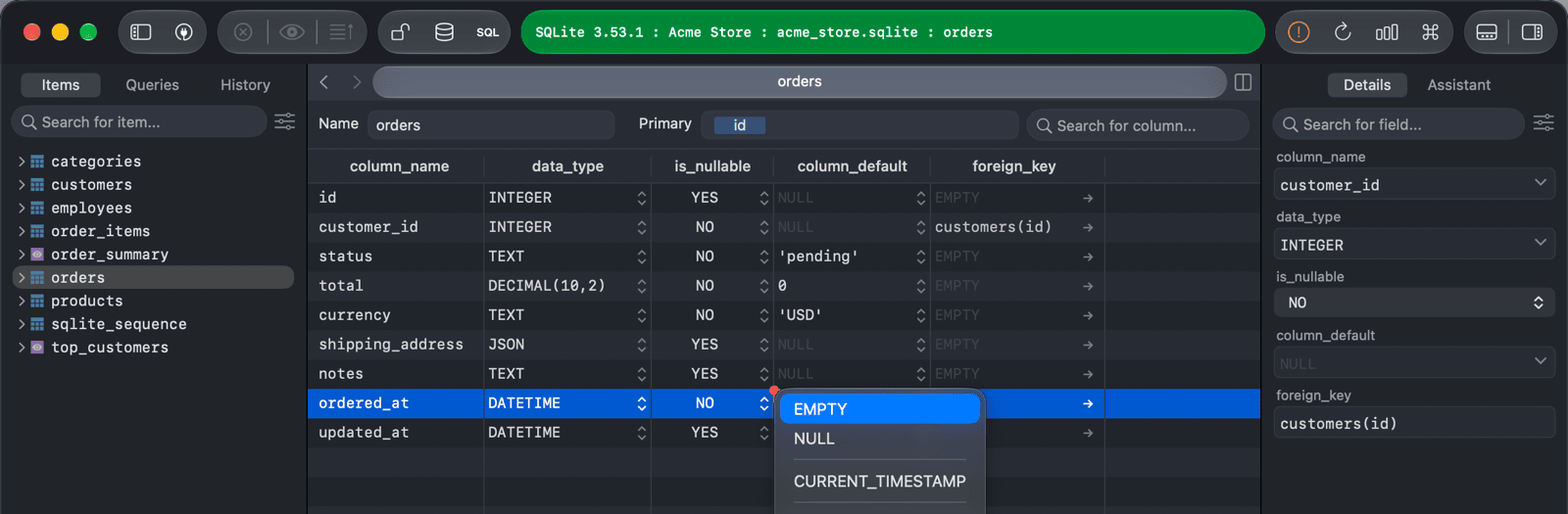
You set constraints on the columns of a table in its Structure tab. To open it, click Structure at the bottom of the window or press ⌃ + ⌘ + ]. Changes are kept locally until you press ⌘ + S1 to commit them to the server.
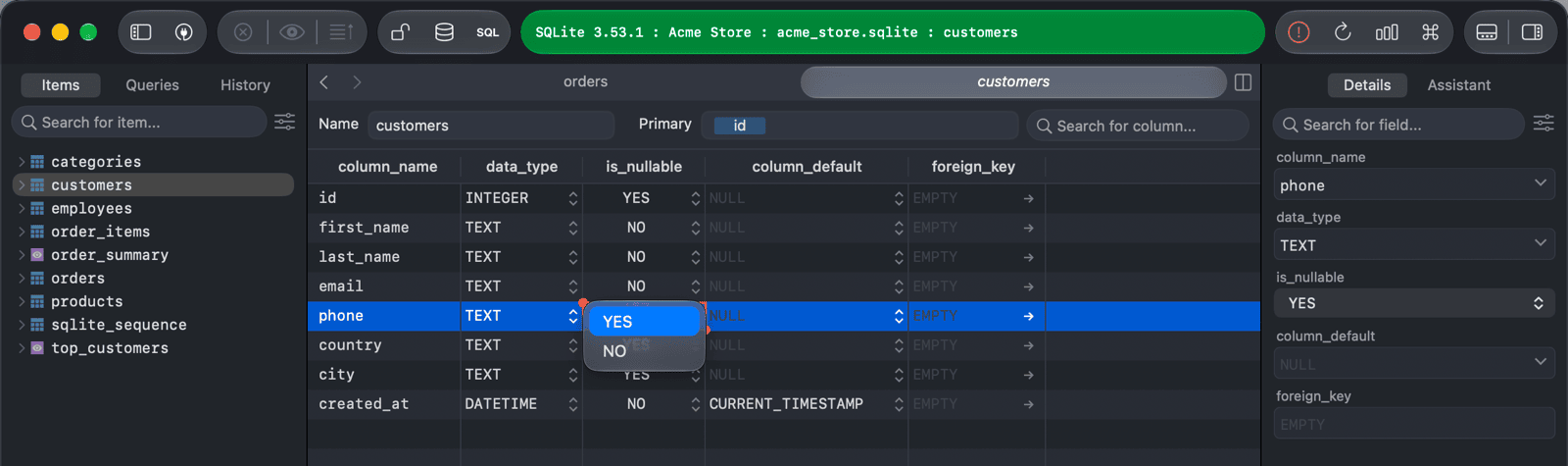
NOT NULL constraint
- Open the table's Structure tab.
- Set the column's
is_nullablefield:- NO adds the NOT NULL constraint, so the column can't contain
NULL. - YES removes the NOT NULL constraint.
- NO adds the NOT NULL constraint, so the column can't contain
- Press
⌘ + Sto commit the change.
PRIMARY KEY constraint
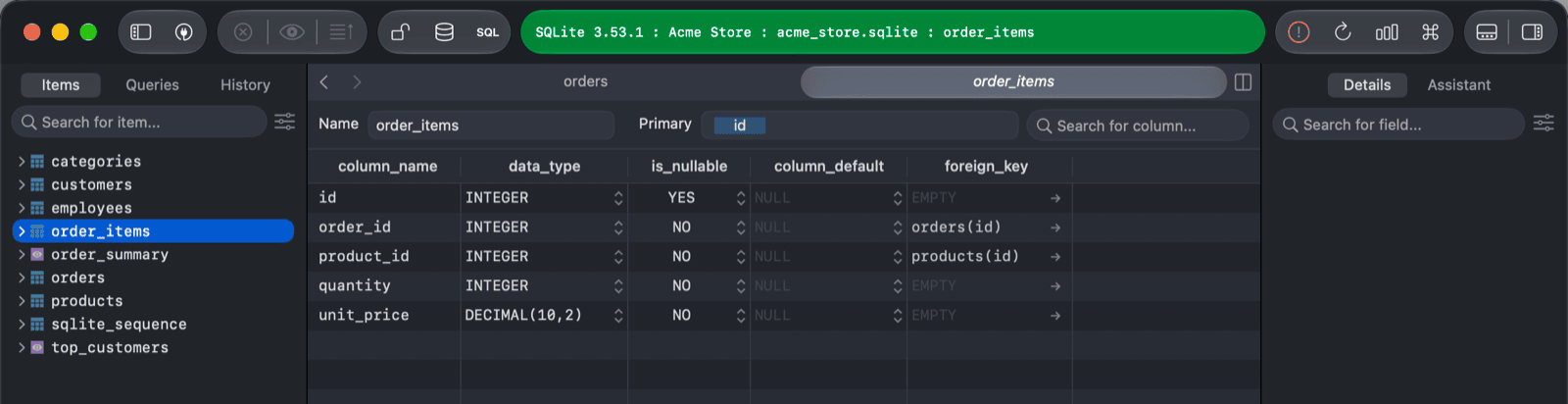
The primary key of the table is shown in the Primary field at the top of the Structure tab.
- Open the table's Structure tab.
- Edit the Primary field:
- Add a column name to include that column in the primary key. TablePlus suggests the table's columns as you type.
- Delete a column name to remove that column from the primary key.
- Press
⌘ + Sto commit the change.
FOREIGN KEY constraint
- Open the table's Structure tab.
- Click the arrow in the column's
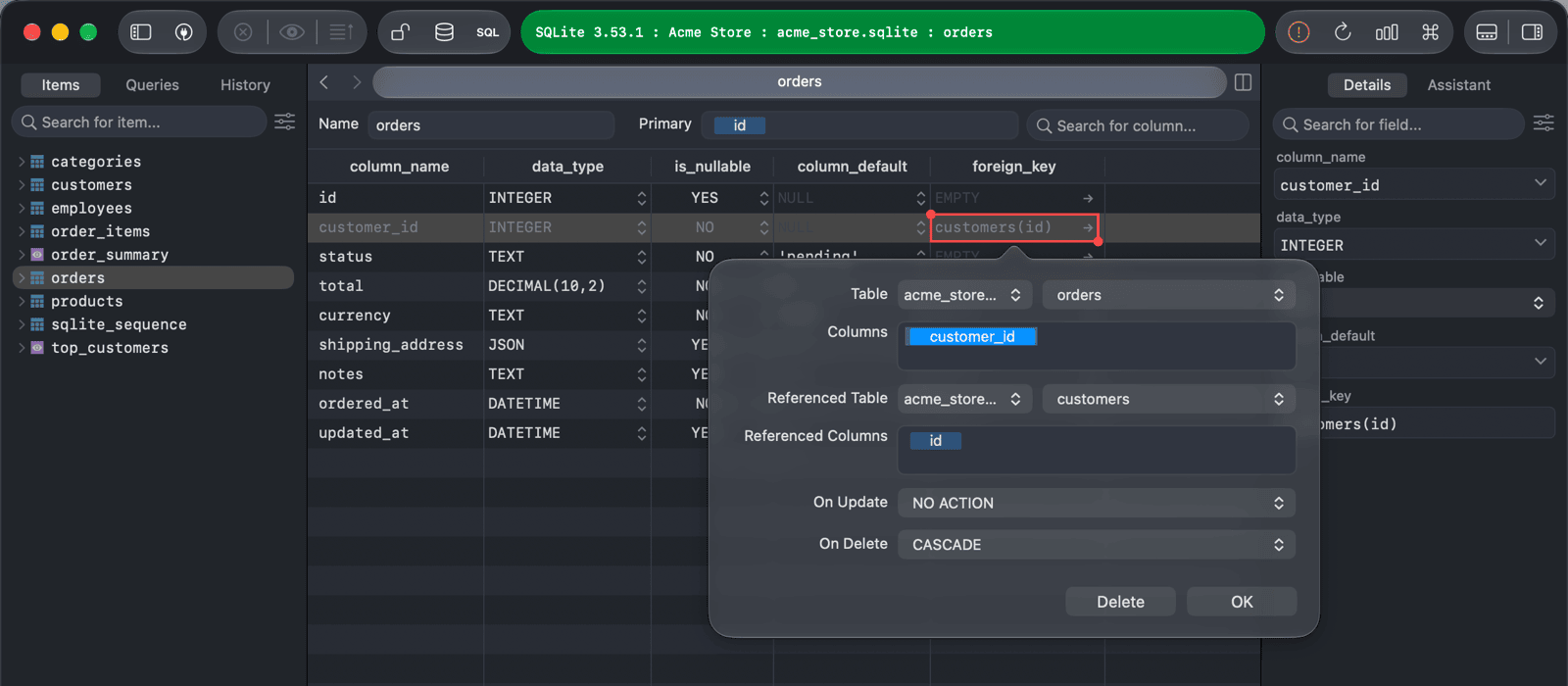
foreign_keyfield and choose Create a foreign key on column name. - In the popover, choose the Referenced Table and the Referenced Columns, and the On Update and On Delete actions (NO ACTION, RESTRICT, CASCADE, SET NULL, or SET DEFAULT). Click OK.
- Press
⌘ + Sto commit the change.
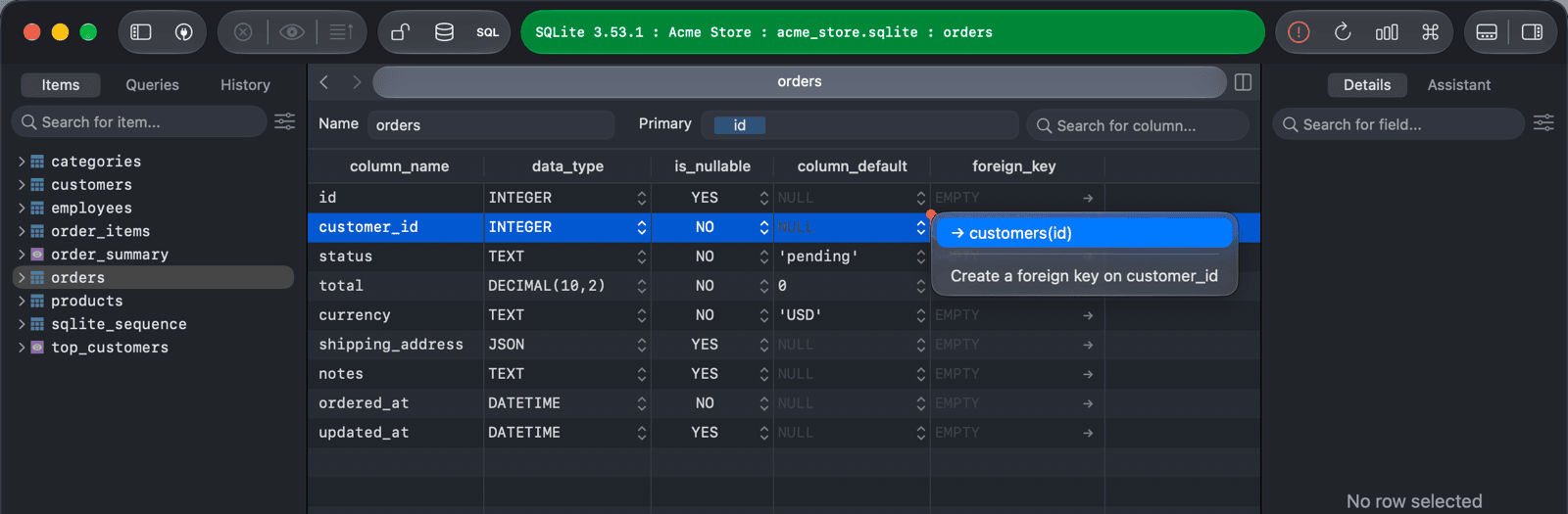
The same menu lists the existing foreign keys of the column, for example → customers(id). Choose one to see its details, change it, or click Delete to remove it.
TablePlus can't add or remove foreign keys on an existing SQLite table. You can still view them.
DEFAULT constraint
- Open the table's Structure tab.
- Enter the default value in the column's
column_defaultfield, or click the field's arrow to choose one: EMPTY, NULL, or a common default for your database, such asCURRENT_TIMESTAMPorNOW(). Choose Advanced... to set an expression, or a sequence on PostgreSQL. - Press
⌘ + Sto commit the change.
-
On Windows and Linux, use
Ctrl + S. ↩︎